
Attracting parents to school open evenings, parent-teacher events, and critical campus updates requires clear, immediate website communication. For schools looking to upgrade their digital presence or using realsmart school websites, setting up a website popup is the most effective way to capture attention the moment visitors land on your homepage. In fact, knowing how to display school open evenings on your site can make a real difference in parental engagement.
Depending on whether you want to display an event poster or a quick text notification, two primary plugins make this process seamless and help with how to display school open evenings on your site effectively.
1. Boxzilla: Best for Visual Posters & Event Flyers
If you have a designed flyer or poster for an upcoming event, is the recommended plugin on the realsmart platform. It gives you full control over how and when your visual media appears to visitors, which is crucial when considering how to display school open evenings on your site.
- Supported Formats: Upload high-resolution images, posters, and various media types directly into the popup.
- Customization: Adjust pop-up triggers, such as exit intent, scroll distance, or time delay, and style the border and background to match your school branding.
- User Experience: Features a straightforward, user-friendly setup that lets you publish promotional graphics in minutes.
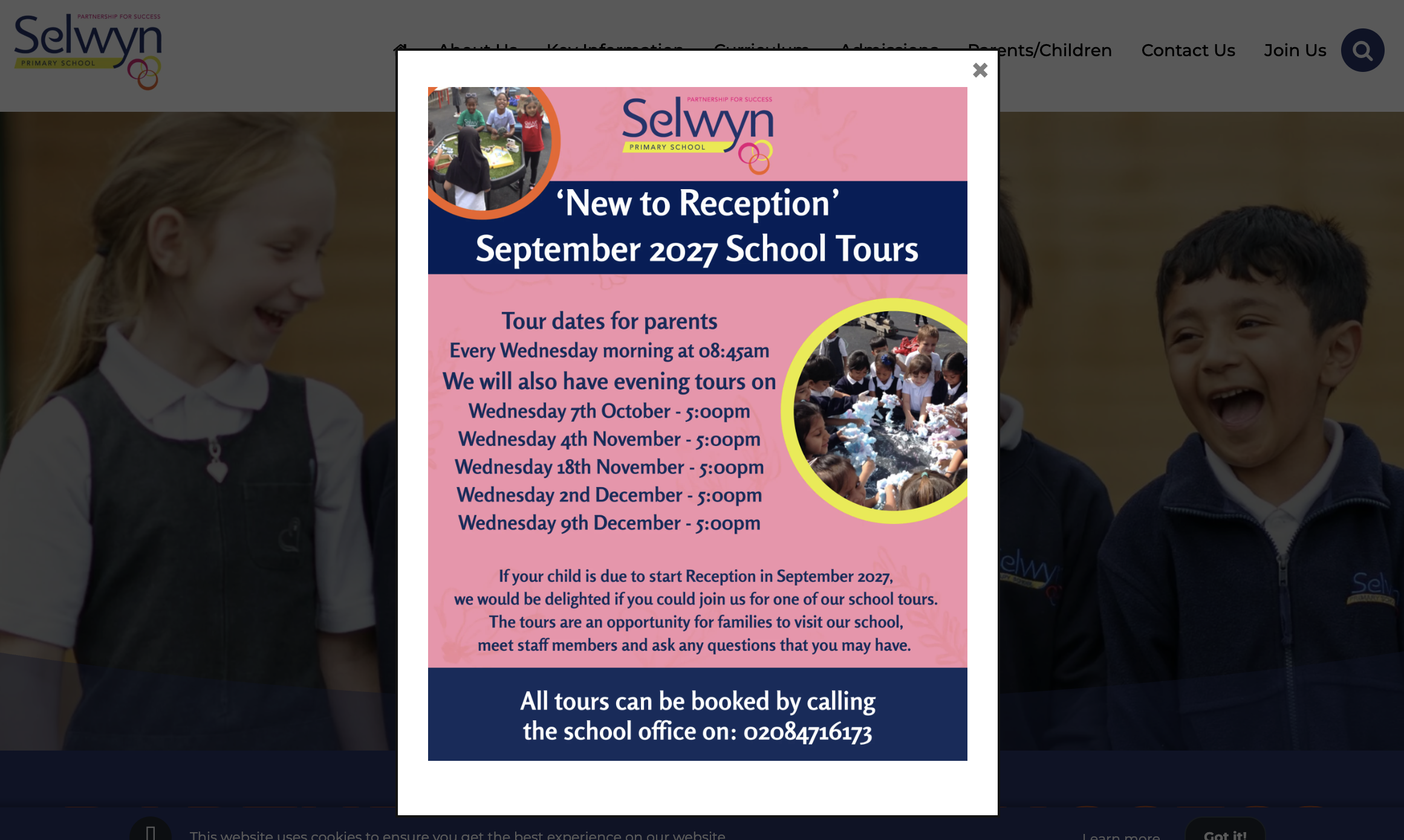
Need help setting up? Follow step-by-step instructions in our to activate the plugin and publish your first pop-up, or consult the official for advanced configuration options.
2. Smart Popup: Best for Text Updates & Quick Notices
For non-graphic announcements, such as sudden schedule changes, urgent weather alerts, or short event reminders, realsmart’s in-house Smart Popup plugin provides a streamlined solution for how to display school open evenings on your site with minimal setup.
- Non-Invasive Display: Delivers key text information clearly without completely blocking the visitor’s view of the main homepage.
- Persistent Messaging: Keeps temporary notices visible and accessible for repeat visitors throughout an event window.
- Lightweight Setup: Designed specifically for fast text updates without needing image editing or complex formatting.
Which Plugin Should You Choose?
| Feature | Boxzilla | Smart Popup |
| Primary Media | Image posters, flyers, rich media | Plain text, short notices, quick links |
| Best Used For | Open Evenings, major school events | Weather updates, urgent notices, reminders |
| Design Control | High (custom triggers, sizing, colors) | High (clean, persistent, standardized layout) |
Using popups strategically ensures your critical school announcements reach families instantly. Log into your realsmart dashboard to enable Boxzilla or Smart Popup before your next event season. This guide on how to display school open evenings on your site will help you make the most out of these tools.